
- Home
- Resources
Resources
Teleprompter guides, tools and templates
Everything that helps you read a script on camera: a timer for your script, quick-start tips, ready-made templates, a teleprompter glossary, and help with the app.
FREE TOOL · NO SIGNUP
How long will your script take to read?
Paste your script and pick a pace. The timer counts the words and tells you how long it runs, and which video length it fits.
Paste a script to see which video length it fits.
Read time = words ÷ pace. Natural is 150 words a minute, the pace Teleprompterz compares you to in delivery analytics. Your script never leaves this page.
QUICK START
How to read a teleprompter without sounding like it
Six habits that make a scripted take sound like you're talking, not reading.
-
Keep the text near the lens
Put the camera at eye level and the script just below it. On a laptop, Teleprompterz shows the script over the camera preview, so your eyes barely move.
-
Make the text big enough
If you squint, the camera sees it. Raise the text size and narrow the margins until you can read from your normal sitting distance.
-
Let the script follow you
A fixed speed forces you to chase it. Voice-paced scrolling moves when you speak and waits when you pause, so you set the rhythm.
-
Rehearse once out loud
Run the script in Practice mode before you record. You'll find the sentences that trip you up while nothing is being recorded.
-
Look at the lens between lines
At the end of a sentence, glance into the lens for a beat. It reads as eye contact, and it gives the next line time to arrive.
-
Check the numbers, not the mirror
After each take, look at your words per minute and filler words. Aim for about 150 words a minute and fewer fillers than the last take.
GUIDES
Teleprompter guides from the blog
Practical guides on reading a script, setting up your gear and choosing the right teleprompter app.
Getting started
- Guide

How do teleprompters work?
How the glass, the scrolling text and your eye line work together.
- Guide
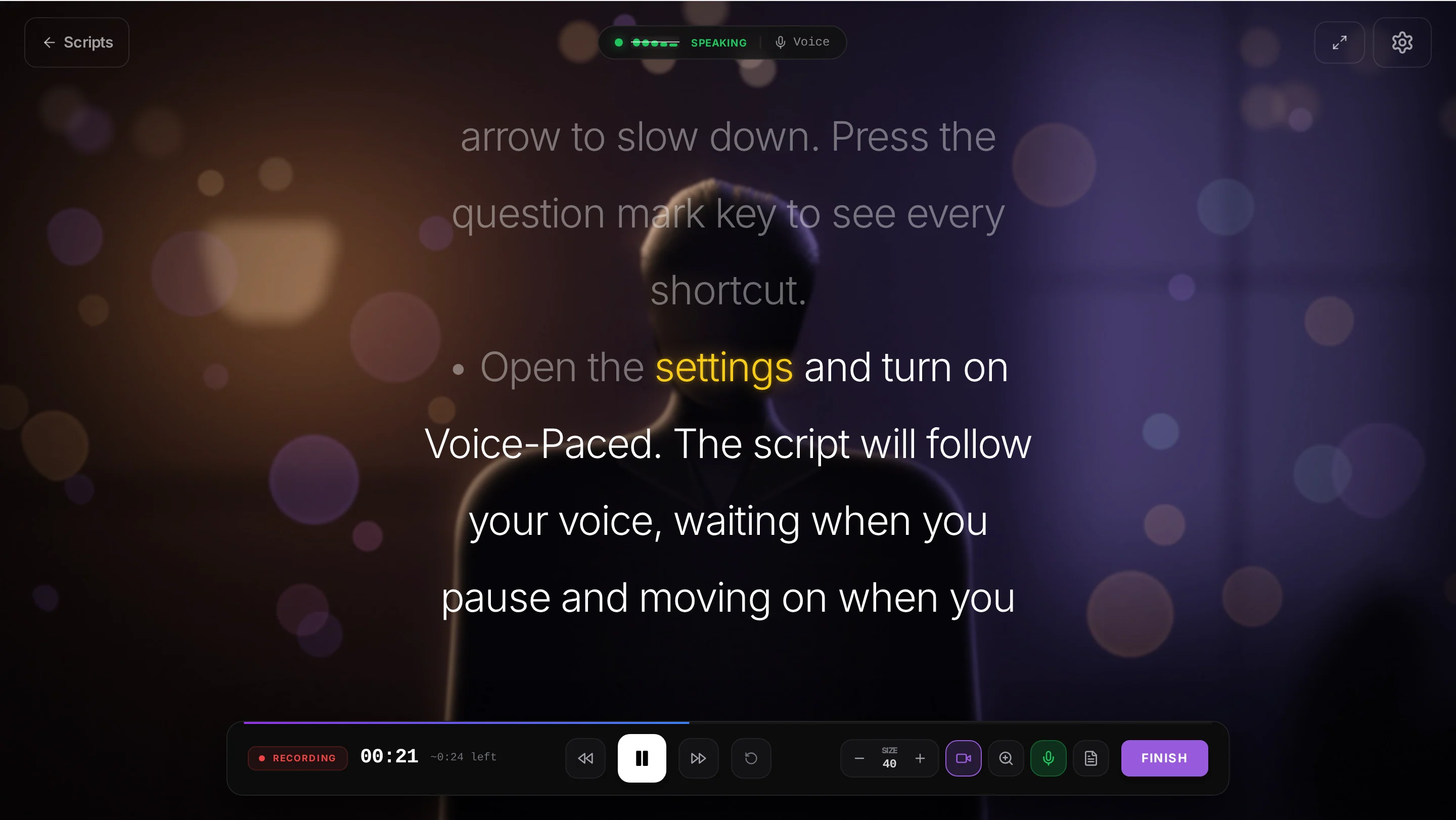
How to use a teleprompter
Set up the camera, the script and the scroll, then record your first take.
- Guide
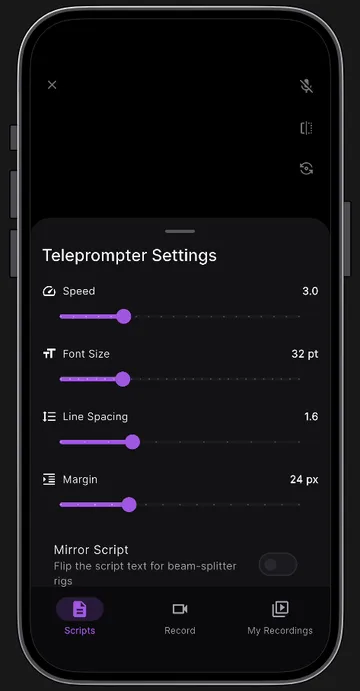
Teleprompter mirror mode: what it is and how to set it up
Why your script needs flipping for beam-splitter glass, and how to turn mirror mode on.
Delivery and choosing an app
- Guide

How to read a teleprompter naturally
Pacing, pauses and eye-line tips so your video doesn't sound scripted.
- Comparison
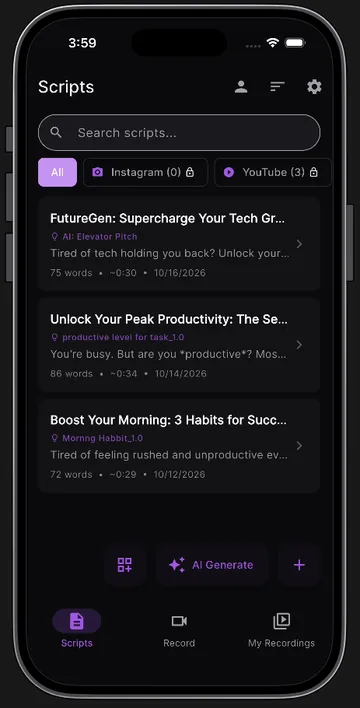
Best teleprompter app for Android in 2026
Voice scrolling, recording and price compared, so you can choose in five minutes.
- Templates
Video script templates
25 free scripts for creators, teachers, pastors and real estate agents. Fill the blanks and copy.
More guides are on the way. The blog opens once the first posts are published.
FREE TOOLS
Free teleprompter tools
Time your script, check your speaking speed and draft a script before you hit record.
- Script timer
Words, characters and read time at three paces.
Live on this page - Video script templates
25 scripts with fill-in-the-blank fields.
Live - Online teleprompter
Paste a script and start reading, no signup.
Coming soon - Words to minutes calculator
Turn a word count into a running time.
Coming soon - Speech timer
Time a speech as you rehearse it.
Coming soon - Speaking speed calculator
Find your words per minute.
Coming soon - AI script generator
A script from your topic, platform and length.
In the app today - YouTube script generator
A YouTube script with title, description and tags.
In the app today
EXPLORE TELEPROMPTERZ
Find the right setup for you
- FEATURES
Every feature, web and mobile
AI scripts, the voice-paced teleprompter, recording, the editor, captions, analytics and export, with what works where.
- USE CASES
A teleprompter for every industry
What creators, teachers, churches, agents, sales teams, founders, coaches, podcasters and speakers record, and how to set it up.
- COMPARE
Teleprompterz vs other apps
Side-by-side comparisons: CuePrompter, BIGVU, PromptSmart, Teleprompter Pro and Speakflow. Coming soon
GLOSSARY
Teleprompter terms, explained
- Teleprompter
- A screen that shows a script close to the camera lens, so the speaker can read while looking at the audience. Also called a prompter or autocue.
- Beam-splitter glass
- A pane of partly mirrored glass set at 45° in front of the lens. It reflects the script toward the speaker while the camera films straight through it.
- Mirror mode
- Flips the script horizontally or vertically so it reads correctly after it bounces off beam-splitter glass. Teleprompterz has both directions.
- Voice-paced scrolling
- Also called a voice-activated teleprompter. The app listens through the microphone and moves the script as you speak, pausing when you pause.
- Auto scroll
- The script moves at a fixed speed you set, such as 1× or 1.5×. Useful where speech recognition isn't available.
- Reading line
- The height on screen where the line you're reading is held. Set it close to the camera so your eyes stay near the lens.
- Eye line
- Where your eyes point on camera. Reading just below the lens keeps your eye line on the viewer.
- Practice mode
- A rehearsal run of the teleprompter that uses only the microphone. Nothing is recorded.
- Words per minute (WPM)
- How fast you speak. About 150 WPM sounds natural on camera; time yours with the script timer.
- Filler words
- Sounds and words such as “um”, “uh” and “like” that fill a pause. Delivery analytics counts them after each take.
- Hook
- The opening line of a video script, written to make people keep watching. The other parts are the key points and the call to action.
- Burned-in captions
- Captions drawn into the video picture itself, so they show on every player, including feeds that autoplay on mute.
- SRT file
- A plain-text caption file with timings, uploaded next to a video on YouTube and other players.
- Aspect ratio
- The shape of the frame: 9:16 vertical for Reels, TikTok and Shorts, 16:9 landscape for YouTube, 1:1 square and 4:5 portrait for feeds.
HELP
Help with Teleprompterz
-
Voice pacing isn't following me
Allow microphone access, use Chrome or Edge, set the recognition language to match your voice, and try a quieter room. Run the 2-second room check, or raise the sensitivity.
-
Email support
Write to support@teleprompterz.com with what you were doing and which device and browser you were on.
-
Contact us
Questions about the product, partnerships or press. The contact page has answers to common questions too.
-
Get the mobile app
Teleprompterz for iPhone and iPad and Android, on the same account as the web app.
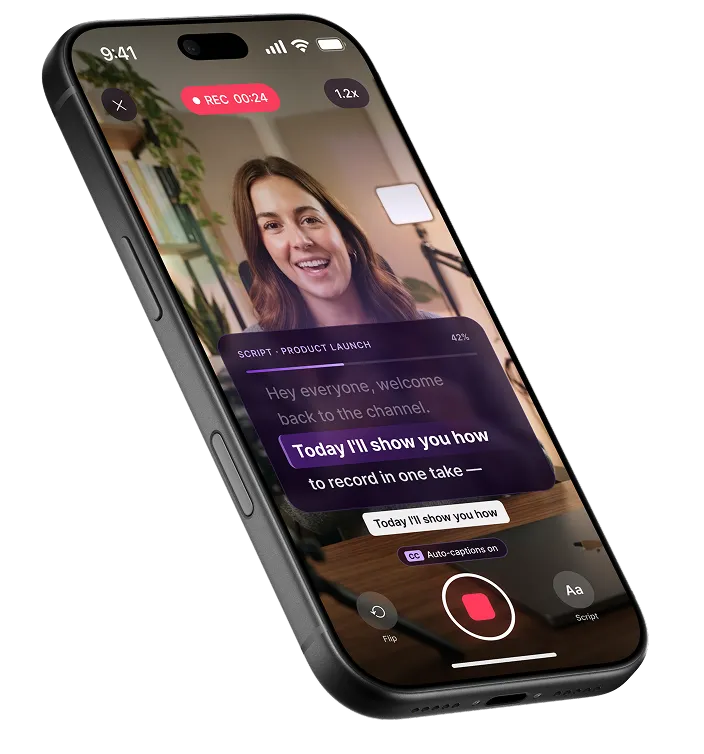
Ready to read it on camera?
Open the teleprompter in your browser, or get the app for iPhone, iPad and Android. Write it, read it, record it, edit it, export it.
Free plan · No credit card