
- Home
- Features
Features · Web, iPhone, iPad, Android
Every teleprompter feature, from first draft to posted video
Teleprompterz writes the script, scrolls it to the pace of your voice and records you on camera. Then it edits, captions and exports the video. Here is everything it does in your browser and in the iPhone and Android app.
Free plan · No credit card
- 0.5–5×auto-scroll speed, or let it follow your voice
- 30 s–30 minnine AI script lengths, sized in words
- 25script templates in five categories
- 4 ratios9:16, 1:1, 4:5 and 16:9
- 5 formatsMP4, MOV, WebM, GIF and MP3
01 / WRITE
Write a script, or let AI write it
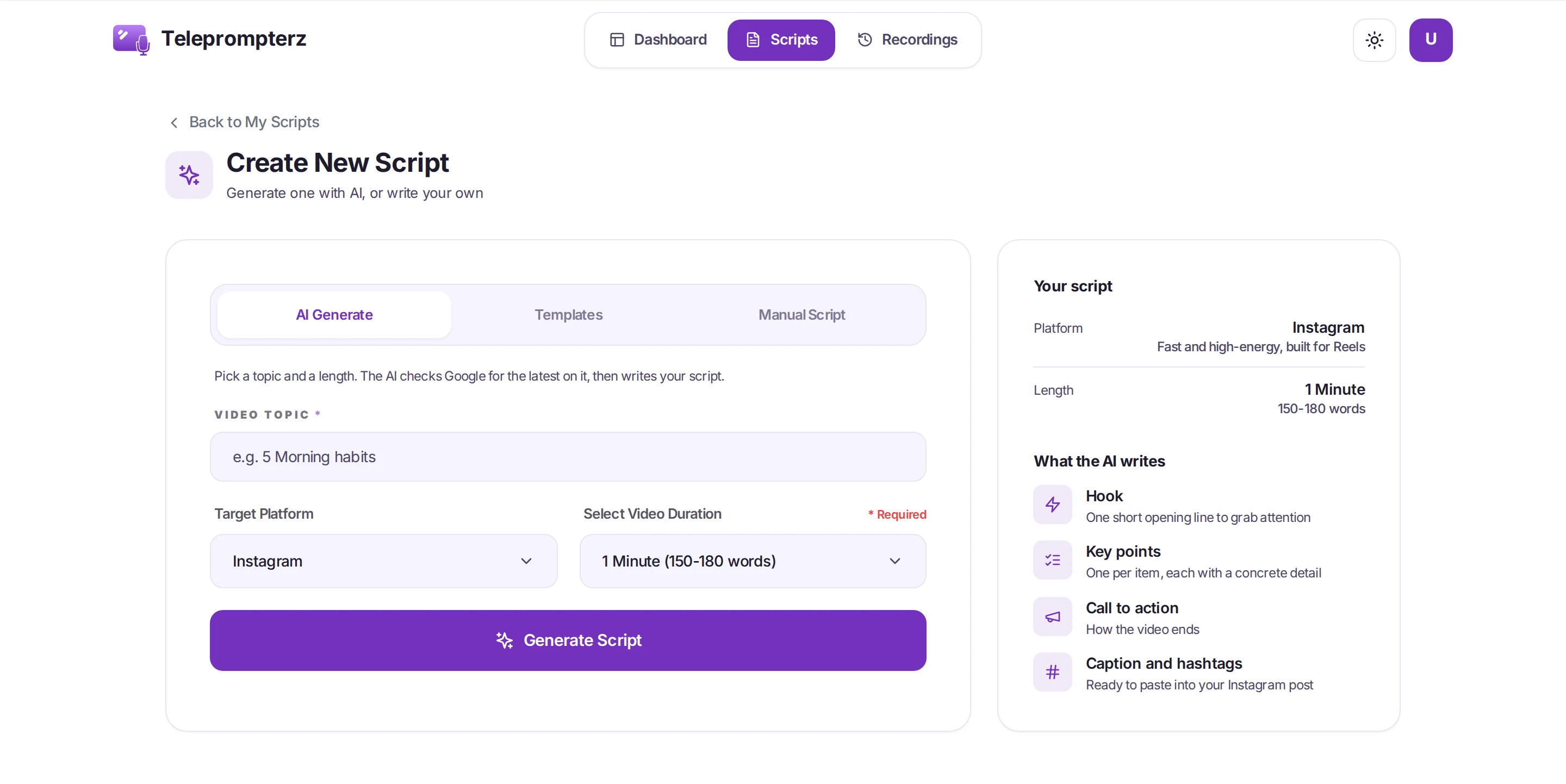
Give the AI a topic, a platform and a length. It researches the topic first, then hands you a script split into a hook, key points and a call to action, plus the post copy to go with it.
-
AI script generator
Enter a topic and pick Instagram, YouTube or LinkedIn. The AI checks the latest on your topic with Google Search, links its sources, and writes a script in that platform's voice.
Hook · Key points · CTA -
Nine lengths, sized in words
From 30 seconds (75–100 words) to 30 minutes (4,200–5,400 words), so the script fits the slot before you read a line.
30 s – 30 min -
Post copy with every script
A caption and hashtags for Instagram and LinkedIn, or a title, description and tags for YouTube, each with its own Copy button.
Copy · Paste · Post -
Refine, vary, translate
Refine a script and compare the change side by side with undo, ask for variants, regenerate it, or translate it into Hindi.
Side-by-side diff -
25 script templates
Ready-made scripts for creators, teachers, pastors and real estate agents. Customize with AI fills the blanks in the tone you pick. Browse the templates
5 categories -
Write your own
Type or paste into a rich-text editor with a live word count and read time at 150 words a minute. Organise scripts in folders, and send a read-only link that expires after 30 days.
Live word count
02 / READ
A teleprompter that follows your voice
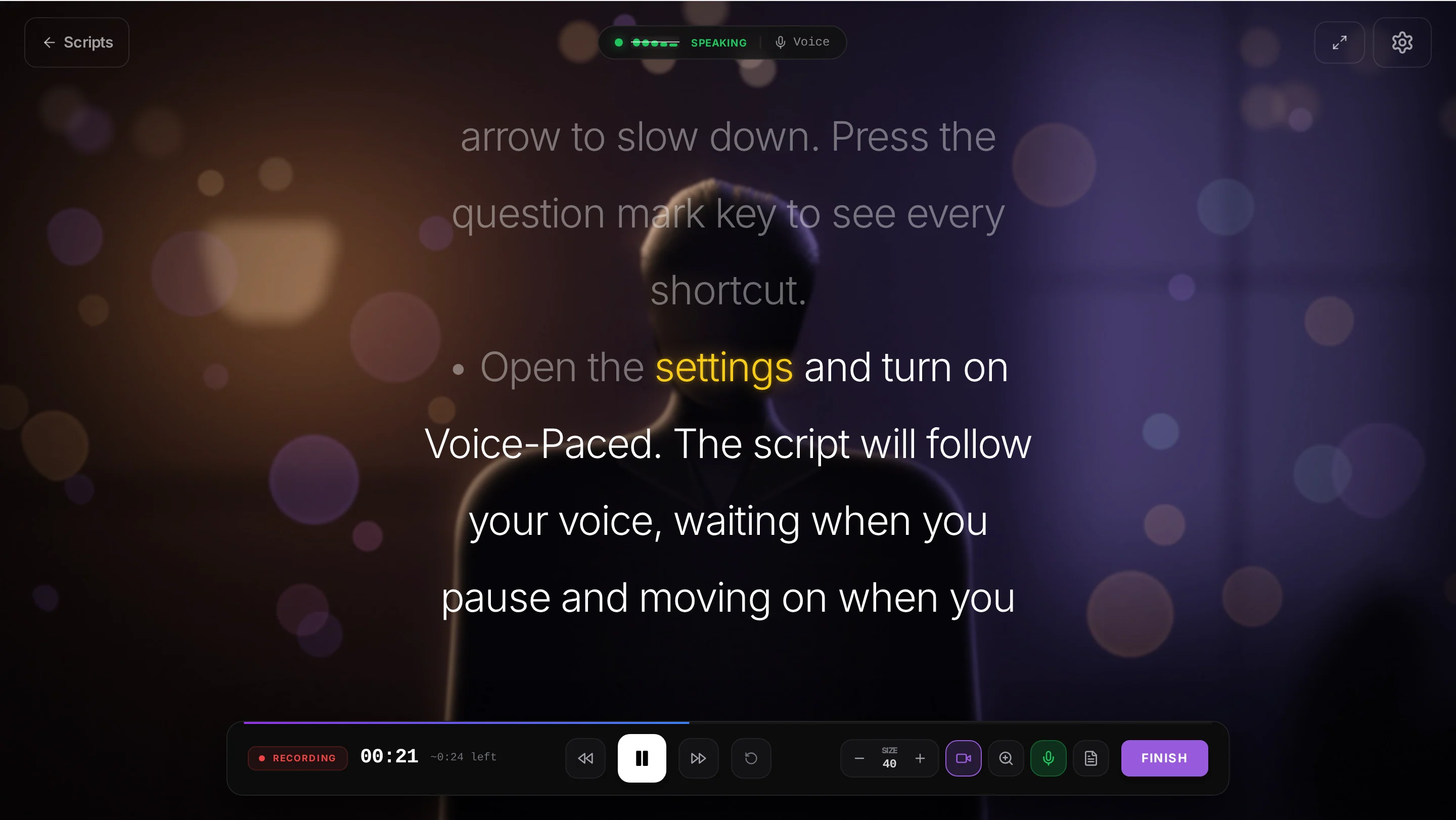
Turn on Voice-Paced and the script moves while you speak, eases to a stop when you pause, and holds its place when you go off script. Or set a fixed speed and tune every line to your eyes.
-
Voice-activated teleprompter
The script keeps pace with you and waits when you stop. If you ad-lib, it shows "Off script — paused" until you're back. Works in Chrome and Edge; other browsers fall back to auto scroll.
Follows your voice -
Auto scroll you can tune
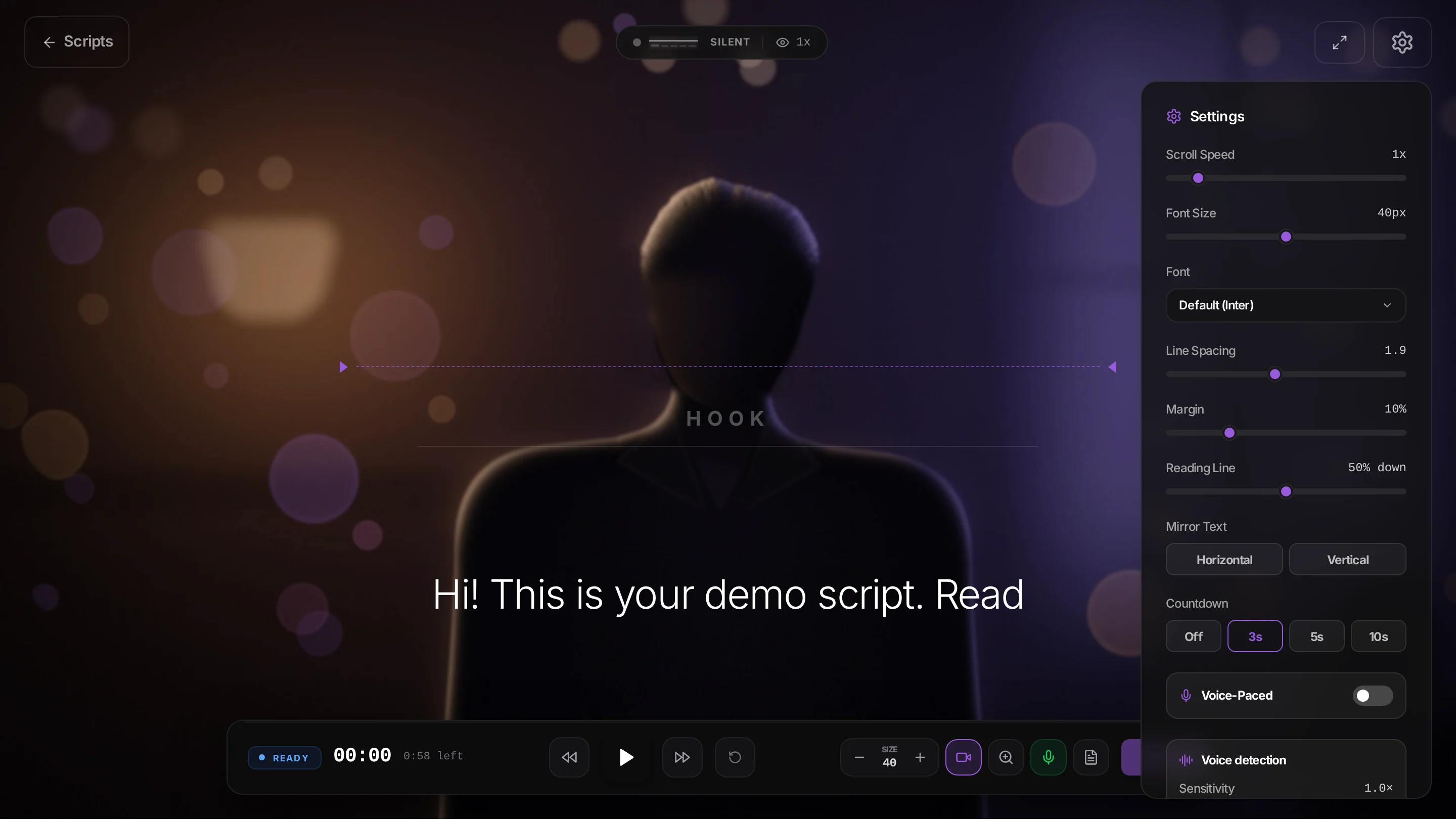
Speed from 0.5× to 5× in 0.1 steps, nudged with the arrow keys while you read. A time-left estimate and a progress line show how much is to go.
0.5–5× -
Text that fits your eyes
Text size 16–64 px, line spacing 1–3, side margins 0–40%, and a reading line you can place anywhere from 20% to 80% down the screen.
16–64 px -
Mirror mode
Flip the script horizontally or vertically so it reads correctly through beam-splitter teleprompter glass.
Horizontal · Vertical -
Your own font
Upload a TTF, OTF, WOFF or WOFF2 font up to 10 MB and read in the typeface you're used to.
Custom fonts -
Speech languages
Voice recognition in English (US, UK, India and Australia) and Hindi, or let it detect the language for you.
Auto + 5 locales -
Practice mode
Rehearse with voice-paced scrolling using only your mic. Nothing is recorded, so you can run it as often as you need.
Nothing recorded -
Keyboard shortcuts
Space or Enter to start and pause, arrows to change speed, F for fullscreen, ? for the full list. You can even fix the script mid-session.
? for shortcuts
03 / RECORD
Record on camera with the script over the lens
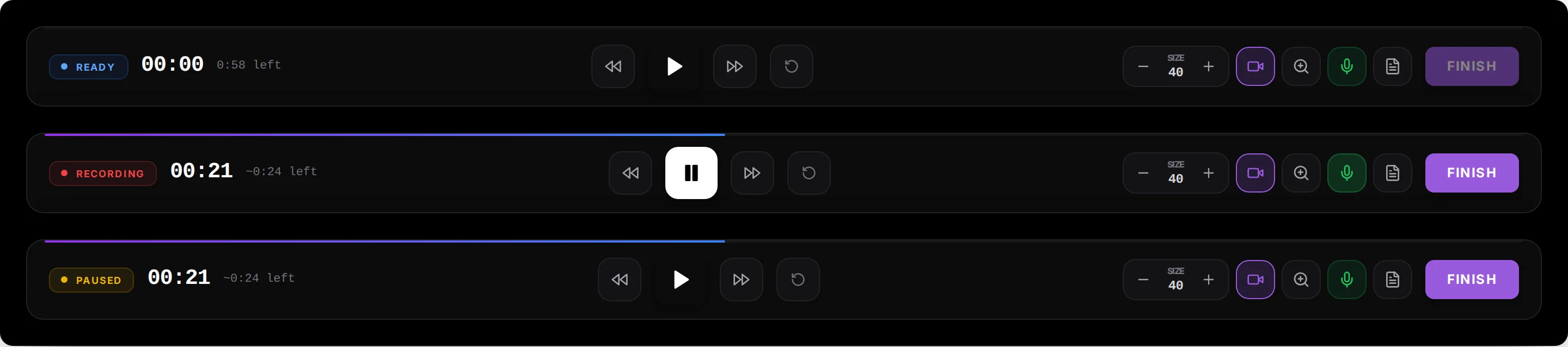
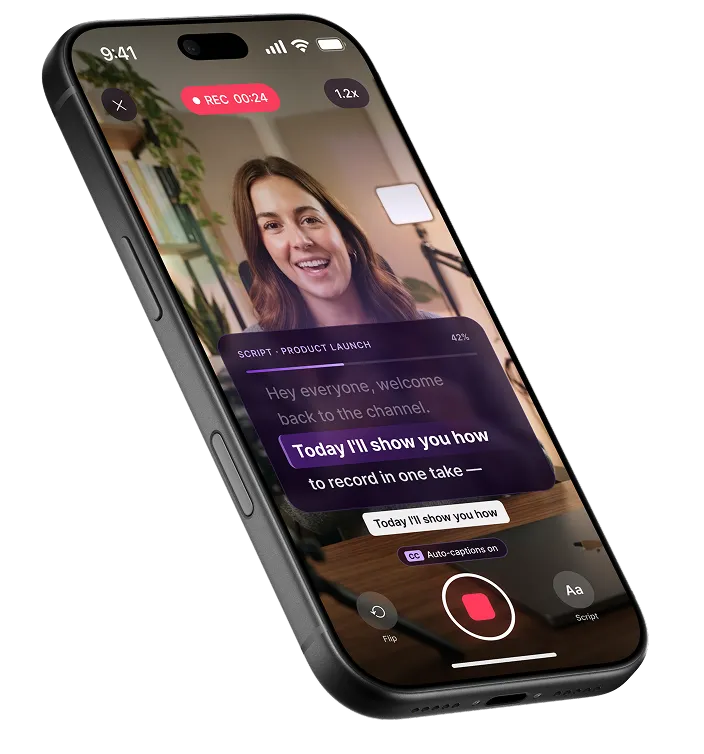
Your script sits over the live camera preview, so your eyes stay close to the lens. Hit record, wait for the countdown and talk. Pause, resume or reshoot as often as you like.
-
Teleprompter with camera
The script scrolls on top of a full-screen camera preview, with your current line held where you can read it without looking away.
Camera overlay -
Countdown, pause, reshoot
An Off, 3, 5 or 10 second countdown, pause and resume in the middle of a take, then reshoot. Every take you save is kept as its own recording.
3 · 2 · 1 -
Zoom mid-take
Zoom the camera from 1× to 3× while you record, with a marker for the range that stays sharp.
1–3× -
Face lenses
Put on a face lens while the teleprompter runs, then add colour filters and effects later in the editor.
Live lenses -
A mic you can trust
A five-bar level meter, a 2-second room-noise check, sensitivity from 0.5 to 2, and a banner if the mic drops out mid-take.
Room check -
Your devices, your screen
Choose the camera and microphone, go fullscreen, and the screen stays awake for as long as you record.
Camera + mic picker
04 / REMOTE
Control the teleprompter from your phone
Stand back from the laptop and run the session from your hand. Scan a QR code and your phone becomes the remote, with a live view of what the camera sees.

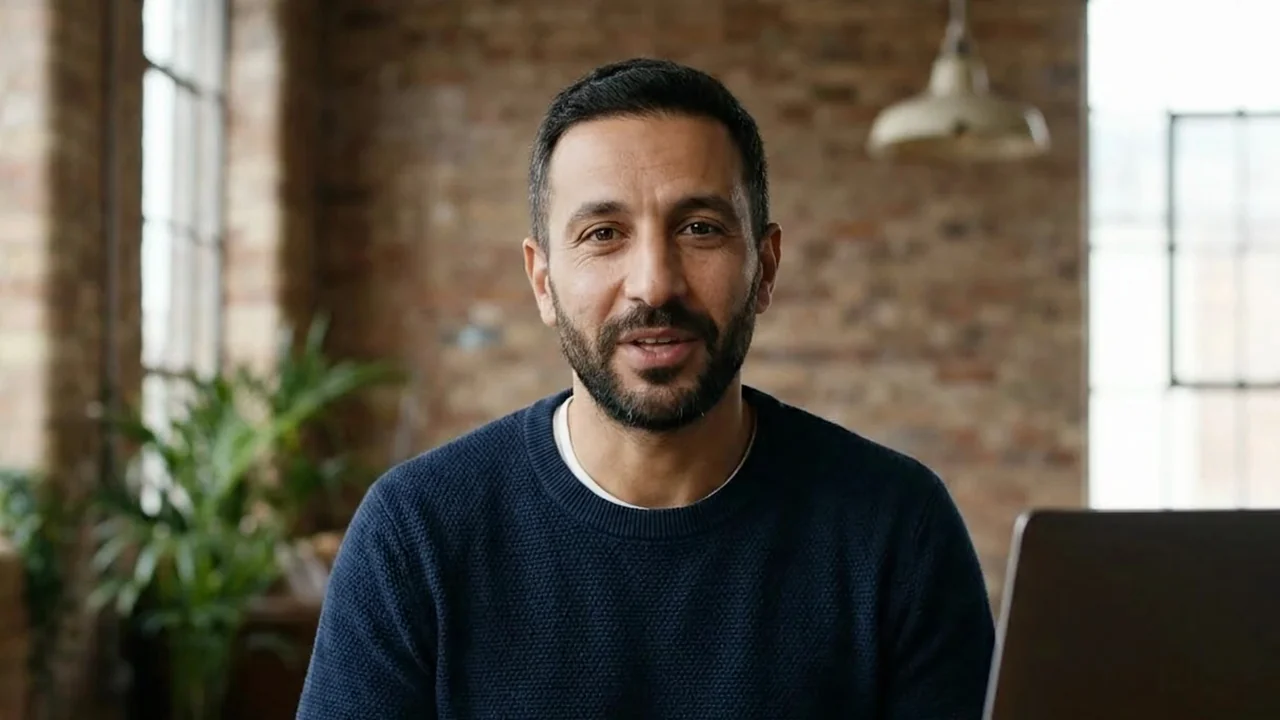 Live
We help teams record video without memorizing a word.
-
Web Remote
Scan, pair and control: start, pause, speed and voice mode, with the synced script and the word you're on. Nothing to install on the phone.
Scan · Pair · Control -
Live camera monitor
Check your framing on the phone while you stand in front of the camera.
Live preview -
Works across networks
The phone and the computer don't need to share a Wi-Fi network to pair.
Any network -
Bluetooth presentation remotes
Map the buttons of a Bluetooth clicker, volume keys included, to start, pause and change speed.
Key mapping
05 / EDIT
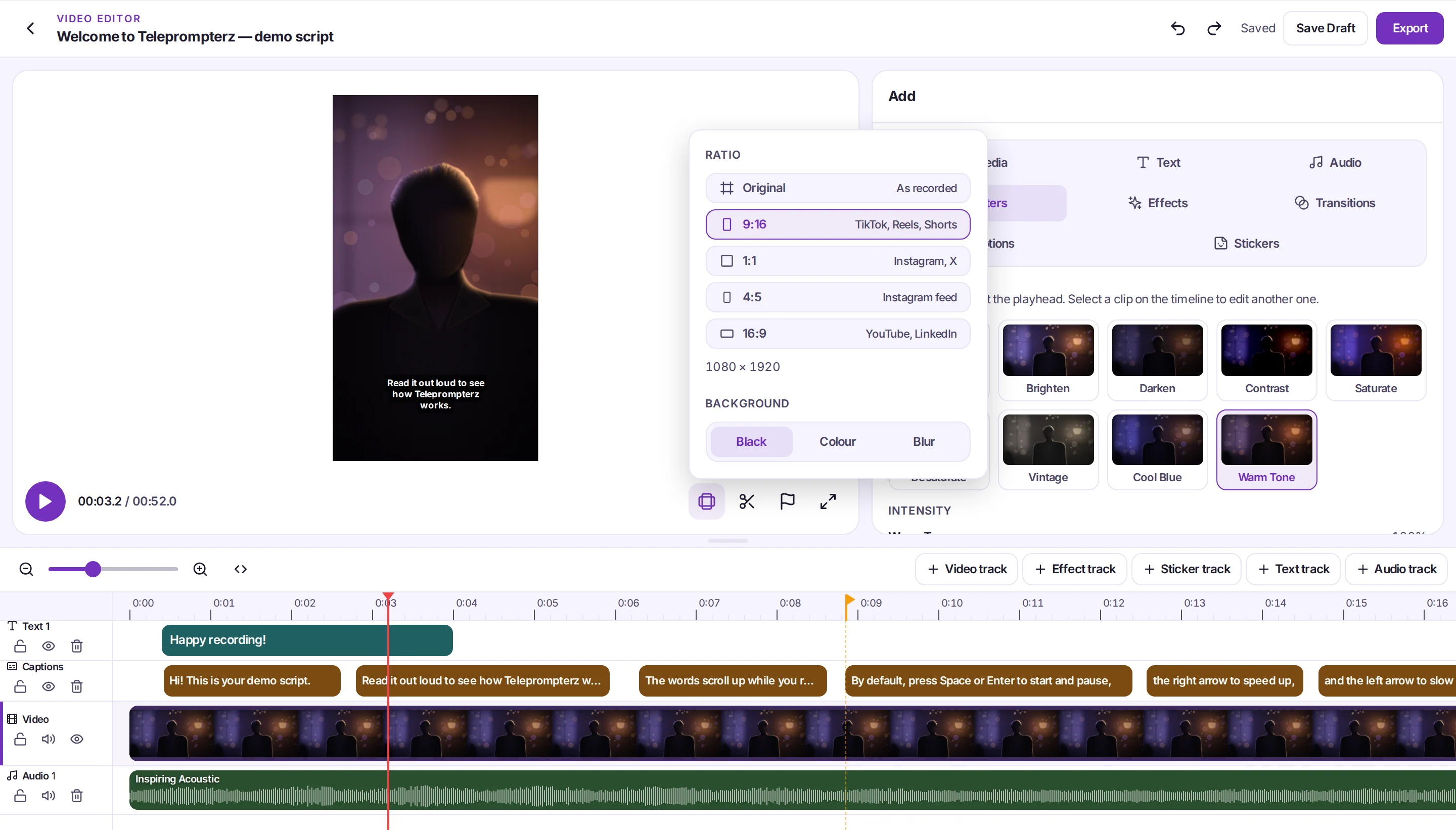
Edit the take without leaving the tab
A multi-track video editor in your browser and on your phone. Trim the take, add text, music and effects, and keep going: nothing has to be exported to another app.
-
Multi-track timeline
Up to 20 tracks. Trim and split, animate with keyframes and 4 easings, and build picture-in-picture or split-screen layouts.
20 tracks -
Clip speed
Slow a clip to 0.25× or speed it up to 4×.
0.25–4× -
Filters and effects
8 colour filters you can stack and 35 effects, from zoom punch and glitch to VHS, vignette and film grain.
35 effects -
Transitions and text
58 transitions and 9 text animations, including typewriter and word by word.
58 transitions -
Music, stickers, your images
Add music and stickers, or upload your own images, such as a logo, to place on the video.
My images -
Undo and autosave
100 steps of undo, and the edit saves as you go. Fit any take into a new ratio with a blurred fill behind it.
100-step undo
06 / CAPTIONS
Subtitles generated from your speech
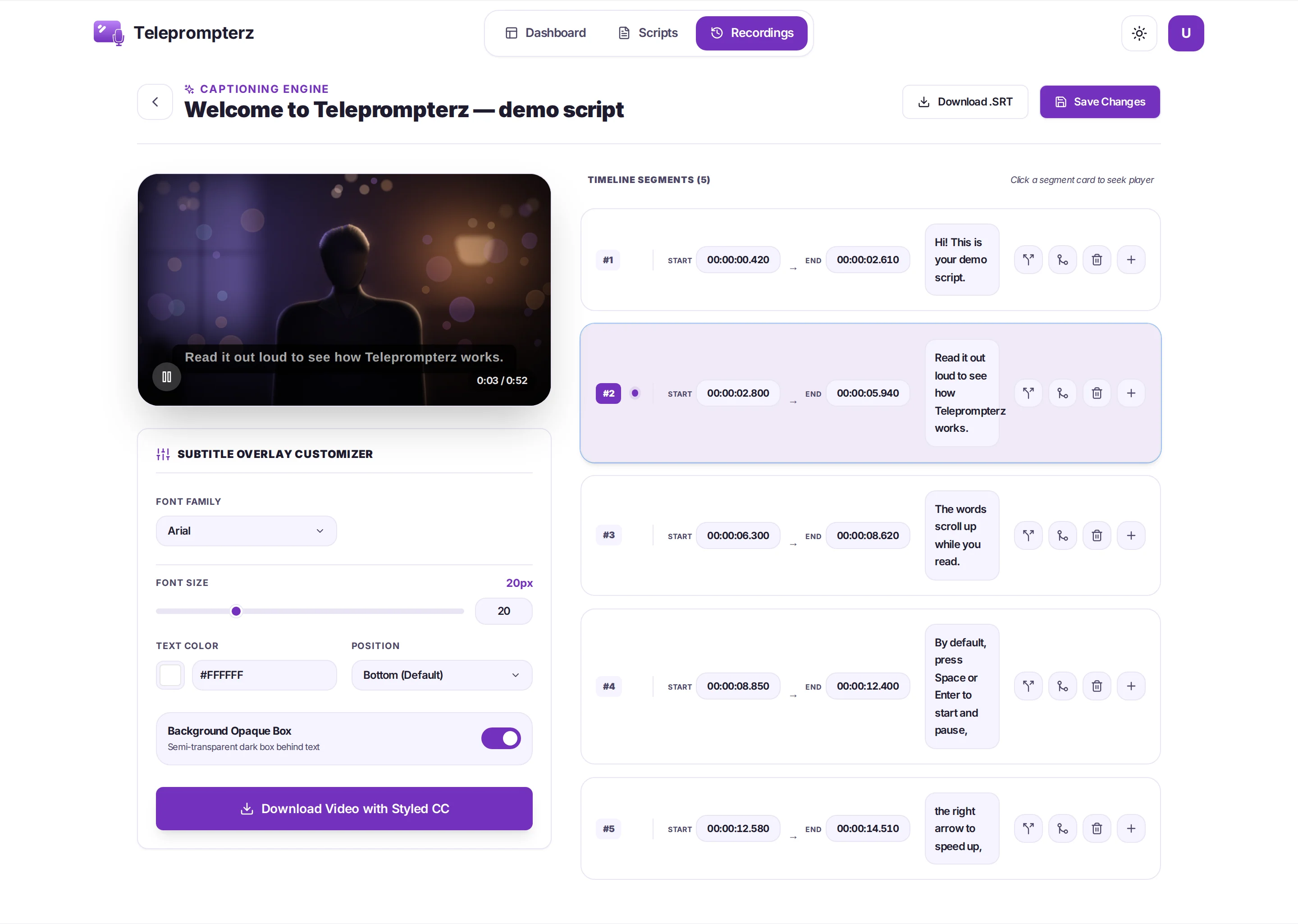
Generate captions from the take in one click, fix any line, style them, then burn them into the video for feeds that play on mute, or download an SRT file.
-
Auto captions
Speech to text from the take's own audio, timed line by line.
One click -
Subtitle Studio
Fix any line, then pick from 6 fonts at 12–48 px, a colour, a top, middle or bottom position and a background box.
6 fonts -
Caption styles in the editor
4 presets, 12 fonts plus your own uploads, 12–200 px, weight, italic, outline, box and a vertical position from 5% to 95%.
4 presets -
Burn in or download SRT
Burn the captions into the exported video, or download them as an SRT file for YouTube and other players.
SRT download
07 / ANALYTICS
See how you sounded after every take
Each recording is analysed for pace, accuracy, energy and filler words, so you know what to change before the next take instead of guessing.
Session analysis Ready for prime time!
SpeechSilence
Example values
-
Speaking speed
Your words per minute, measured against a natural 150 WPM.
WPM -
Confidence score
How closely you stuck to the script you were reading.
Script accuracy -
Enthusiasm score
Read from the pitch and loudness of your voice, so a flat take shows up in the numbers.
Pitch · Loudness -
Filler words
Every "um", "uh" and "like" counted, in English and Hindi.
Um · Uh · Like -
Speech flow timeline
Speech and silence across the whole take, so you can see where you paused too long.
Speech / silence -
Chapters and SRT
YouTube chapter timestamps and an SRT caption file, ready to download from the analysis page.
YouTube chapters
08 / EXPORT
Export for every platform
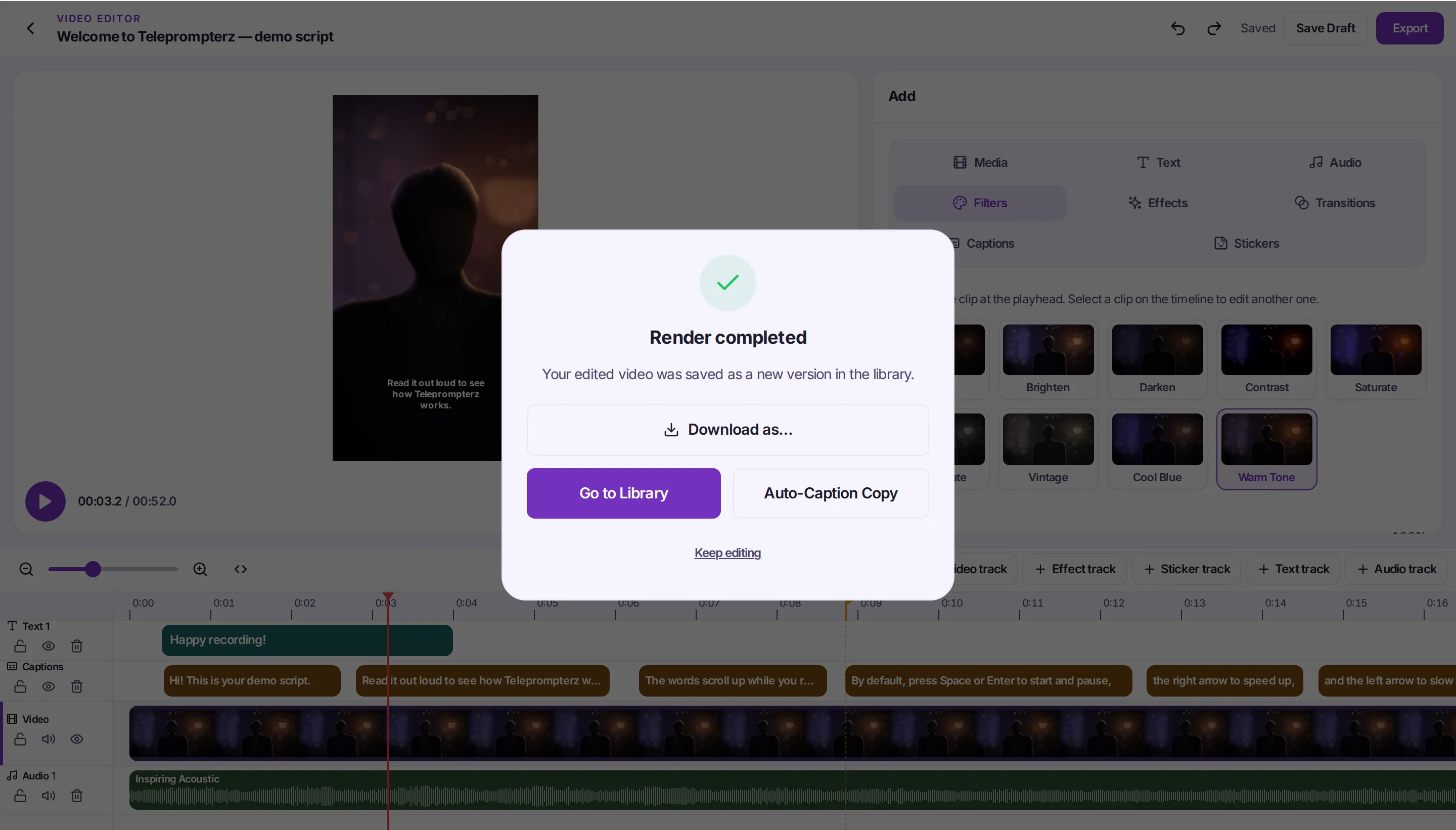
Reframe one take for Reels, Shorts, TikTok, YouTube, LinkedIn or a feed post, choose a format and download. Every recording waits in your library until you need it.
-
Four aspect ratios
9:16 for TikTok, Reels and Shorts; 16:9 for YouTube and LinkedIn; 1:1 and 4:5 for feeds. Export one ratio, then switch and export the next.
9:16 · 1:1 · 4:5 · 16:9 -
Five formats
MP4, MOV, WebM, GIF or MP3 audio, with resolution and quality settings.
MP4 · MOV · WebM · GIF · MP3 -
Watch links
Share a public link to the finished video for a client, a prospect or your team to watch.
Share a link -
Recordings library
Every take in one place: sort newest first or A–Z, file into folders, and move or delete in bulk.
Folders · Bulk actions
TELEPROMPTER APP FOR IPHONE, IPAD AND ANDROID
The whole studio on your phone
The Teleprompterz app keeps the same flow in three tabs: Scripts, Record and My Recordings. Write with AI, read it over the camera, caption it and export it without going near a desktop.
- Scripts filed by platform: All, Instagram, YouTube
- Front or back camera, zoom, mirror and mic on the record screen
- Mirror Script for beam-splitter rigs
- My Recordings in a grid or a list, with sort, filter and bulk delete
- Translate and Refine on any script
- The same account as the web app
WEB AND MOBILE
Where each feature works
One account across the browser and the apps. Start a script on your laptop and record it on your phone, or the other way round.
| Feature | Web app Mac, Windows, Chromebook | Mobile app iPhone, iPad, Android |
|---|---|---|
| AI script generator with post copy | ✓ | ✓ |
| Translate and refine scripts | ✓ | ✓ |
| 25 script templates + Customize with AI | ✓ | — |
| Teleprompter over the camera | ✓ | ✓ |
| Speed, font size, spacing, margin, mirror | ✓ | ✓ |
| Voice-paced scrolling | ✓ Chrome, Edge | — |
| Camera zoom | ✓ 1–3× | ✓ |
| Practice mode | ✓ | — |
| Web Remote and Bluetooth remotes | ✓ | — |
| Video editor | ✓ multi-track | ✓ |
| Auto captions, edit and burn in | ✓ | ✓ |
| Delivery analytics | ✓ | — |
| Export 9:16, 16:9, 1:1, 4:5 | ✓ | ✓ |
| Recordings library and folders | ✓ | ✓ |
— means the current mobile build doesn't show it yet; use the web app on your phone's browser or your computer. The mobile column reflects the iOS app as of November 2026.
FAQ
Feature questions, answered
-
It covers the whole video: an AI script writer, a teleprompter that scrolls at the pace of your voice, recording on camera, a multi-track video editor, captions from your speech, delivery analytics after each take, and export in four aspect ratios. It runs in your browser and as an app for iPhone, iPad and Android.
-
Voice-paced scrolling uses the browser's speech recognition, so it works in Chrome and Edge. In other browsers the teleprompter falls back to auto scroll, which you can set from 0.5× to 5×. If it isn't following you, check the mic permission, match the recognition language to your voice, and try a quieter room.
-
Yes. Open Web Remote, scan the QR code with your phone, and it controls the teleprompter: start, pause, speed and voice mode, with a live camera preview and the current word. The phone and computer don't need to be on the same network. Bluetooth presentation remotes work too.
-
In the browser, takes are recorded at 720p on the short side and 30 frames per second. That keeps uploads quick and is sharp enough for social video, course lessons and video messages.
-
Yes. The mobile app has its own editor for text, audio, stickers and looks, a caption editor that transcribes the take so you can fix and restyle any line, and Export for Social in 9:16, 16:9, 1:1 and 4:5.
-
No. You download the finished video and upload it yourself. Every AI script comes with post copy, a caption and hashtags or a YouTube title, description and tags, so posting takes a copy and a paste.
Try every feature free
Open Teleprompterz in your browser, or get the app for iPhone, iPad and Android. Write it, read it, record it, edit it, export it.
Free plan · No credit card